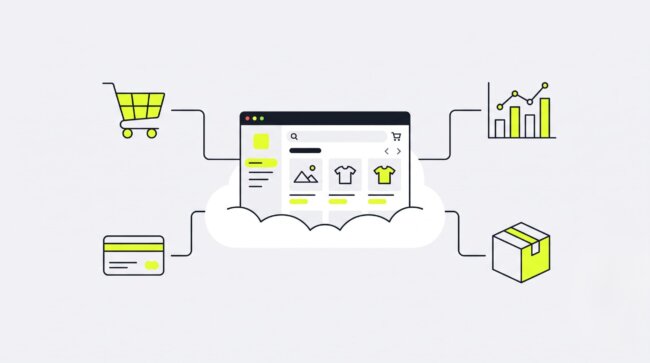
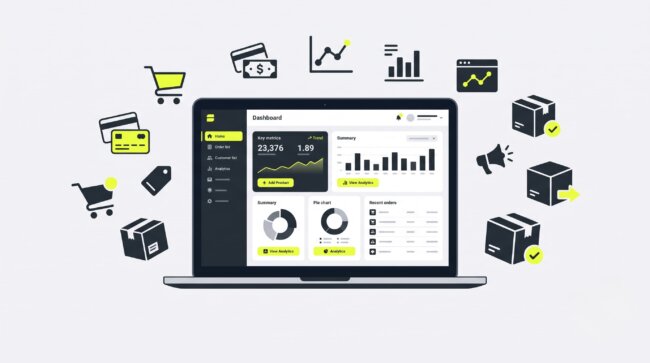
Aging on-premises servers slow every product launch, drain IT budgets, and buckle under Black Friday traffic. A cloud ecommerce platform removes that bottleneck: the vendor hosts, patches, secures, and scales the infrastructure while your team focuses on selling. This guide defines how cloud commerce works, compares SaaS, headless, and composable architectures, exposes the real total cost of ownership (TCO), and reviews the leading platforms of 2026 — so you can shortlist candidates and run a structured 30-day evaluation.
What Is a Cloud-Based eCommerce Platform?
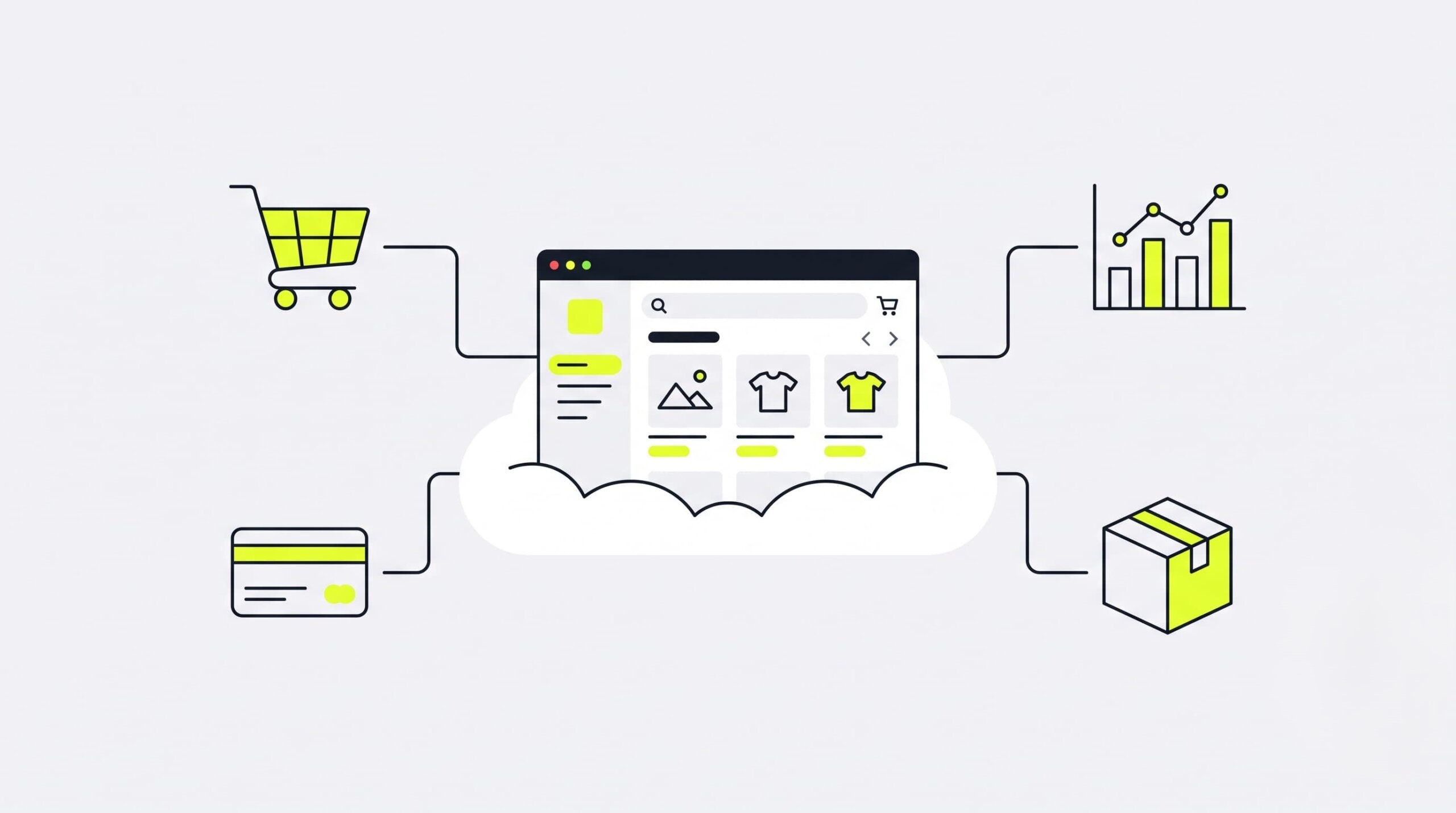
A cloud-based ecommerce platform is online-selling software hosted on the vendor’s remote servers. Merchants access it through a browser or an API instead of buying, maintaining, and upgrading their own physical hardware. The provider handles uptime, security patches, and traffic scaling; the merchant handles products, pricing, and marketing.
The business model behind most cloud platforms is SaaS (Software as a Service): you pay a recurring subscription, and the vendor delivers working software over the internet. No server room. No installation projects. No 3 a.m. calls about a dead hard drive.
Think of it as renting a fully equipped premium office instead of building a house from the ground up. The desks, the electricity, the security guard — everything works on day one, and the building owner pays for repairs. You bring your team and your merchandise.
Every standard cloud ecommerce platform ships with the same functional skeleton: a storefront builder for pages and themes, catalog management for products and inventory, payment processing, order tracking, and built-in analytics. Vendors then differentiate on top of that skeleton — through app ecosystems, B2B modules, or AI tooling.
Core Capabilities: What the Vendor Manages vs. What You Control
Cloud commerce runs on a shared-responsibility model. The vendor owns the physical infrastructure, network security, PCI DSS compliance, code updates, and scaling during traffic peaks. The merchant owns the customer experience: catalog content, UX/UI decisions, marketing campaigns, loyalty programs, and business rules for shipping, taxes, and discounts.
The split matters because it defines what you stop paying for — and what you can never outsource. A platform will keep your servers alive during a traffic spike, but it will not write your product descriptions or win back a churned customer.
| The Vendor Manages | You (the Merchant) Control |
|---|---|
| Physical servers and data centers | Customer experience (UX/UI, themes, storefront design) |
| Network security and DDoS protection | Product catalog content, pricing, and merchandising |
| PCI DSS compliance for payment processing | Marketing, SEO, and advertising campaigns |
| Platform code updates and bug patches | Customer loyalty, retention, and support quality |
| Auto-scaling during peak traffic (Black Friday, product drops) | Business logic: shipping rules, tax settings, discount strategy |
Cloud vs. On-Premises & Traditional Self-Hosted eCommerce
The core difference is who carries the IT load — and how the money leaves your account. Cloud platforms shift infrastructure maintenance to the vendor for a monthly fee (OpEx). On-premises systems demand upfront purchases of servers and licenses (CapEx), plus a permanent team of system administrators to keep everything running.
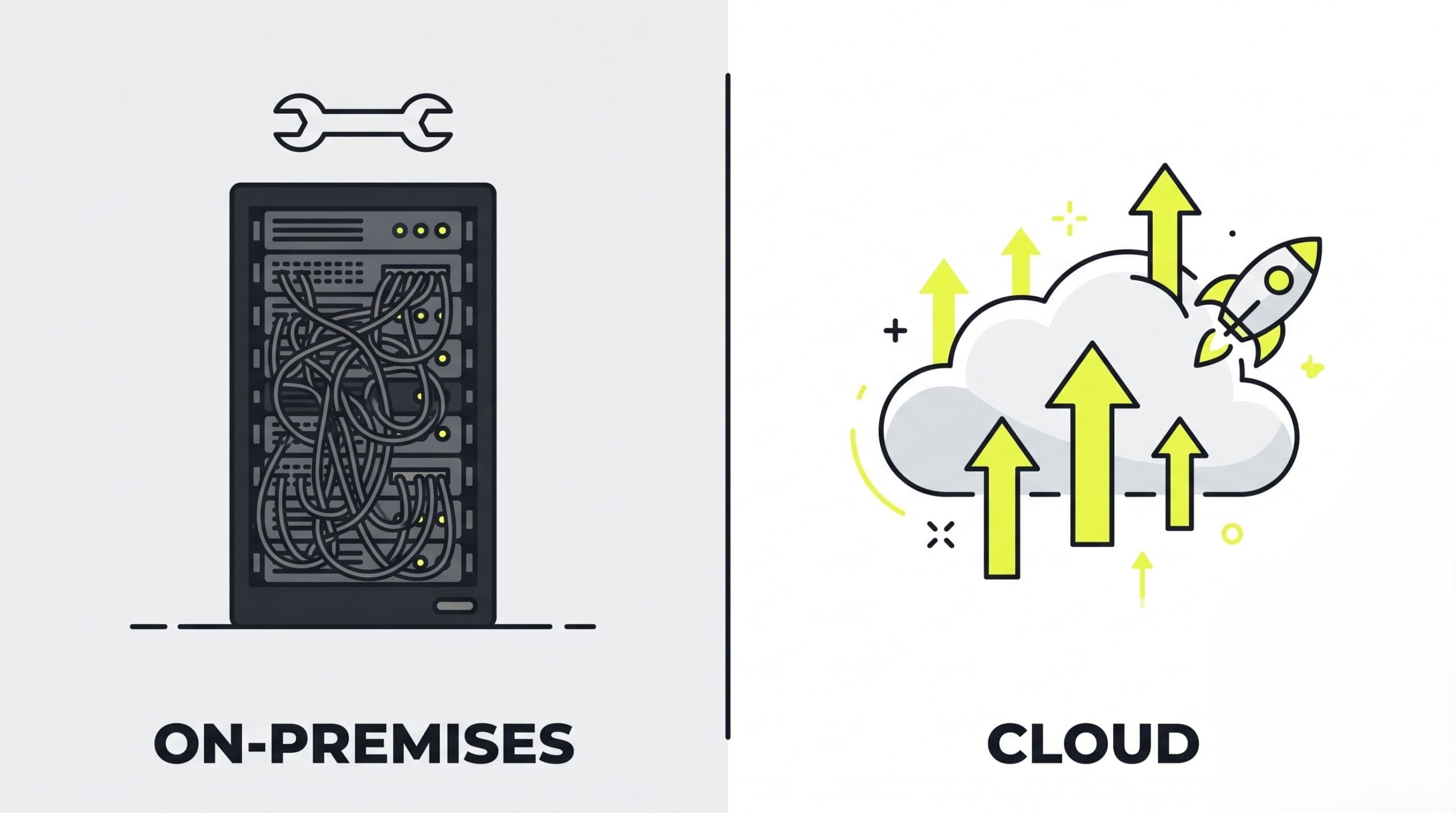
Cloud deployments win on three measurable fronts. Speed to market: a cloud store launches in days or weeks, while an on-premises build takes quarters. Auto-scaling: cloud infrastructure adds capacity automatically when a campaign goes viral; a fixed server rack simply crashes. Reliability: major vendors run redundant systems across multiple data centers and publish uptime figures above 99.9%.
On-premises commerce lost the market for a reason. Between roughly 2015 and 2020, the cost of maintaining in-house security climbed sharply — every new breach headline meant new audits, new patches, new staff. At the same time, self-hosted stacks reacted slowly to new sales channels: mobile checkout, marketplaces, social commerce. Cloud vendors shipped those features to every customer overnight. Server rooms could not compete.
The Legacy Bridge: Integrating Custom Cloud with Existing ERPs
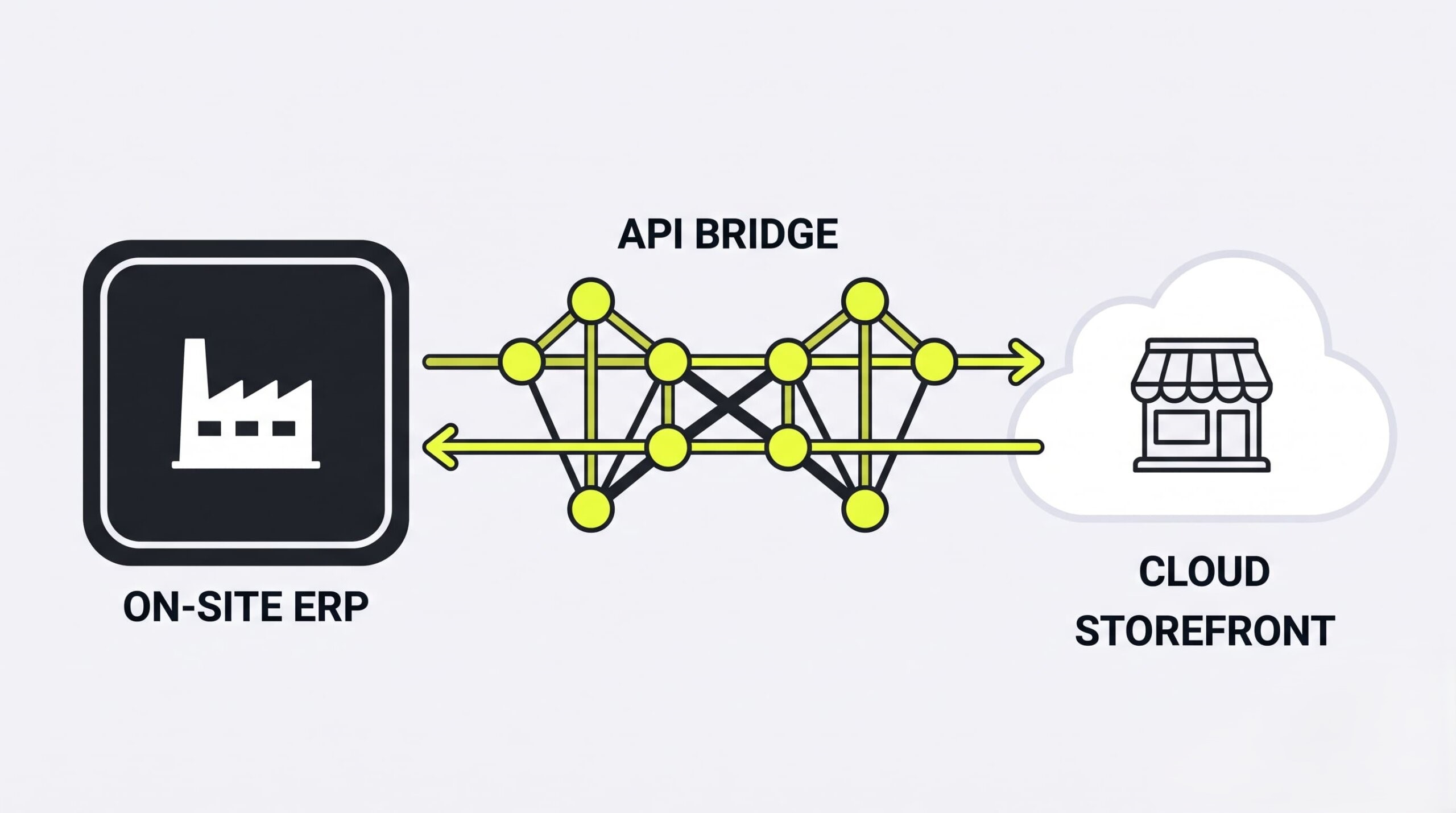
Large B2B companies rarely rip out their ERP. A custom cloud bridge connects a modern cloud storefront to a 20-year-old on-site SAP, Oracle, or Microsoft Dynamics installation through APIs — the storefront moves to the cloud while pricing rules, inventory logic, and order workflows stay exactly where they have always lived.
Consider a typical industrial distributor. The company has spent two or three decades encoding its business into an on-premises ERP: contract pricing per customer, credit limits, warehouse routing, approval chains. Rewriting that logic from scratch would take years and carry enormous risk. Nobody signs off on that project.
A hybrid bridge avoids the rewrite. The cloud storefront handles what clouds do best — fast page loads, modern checkout, mobile UX — and calls the legacy ERP through an API layer whenever it needs a price, a stock level, or an order confirmation. Middleware (an iPaaS tool or a custom integration service) translates between the two worlds. The ERP stays on-site. The customer never notices. Migration risk drops from “bet the company” to “run a controlled integration project.”
Architecture Types Compared: SaaS, PaaS, Headless, and Composable
Cloud ecommerce architecture falls into four types, ranked by flexibility and engineering demand: all-in-one SaaS monoliths, semi-custom PaaS environments, headless builds that split the front end from the back end via API, and composable stacks where a company buys each service — cart, search, reviews — from a separate vendor.
SaaS eCommerce Platforms: High Speed with Integration Trade-offs
SaaS platforms such as Shopify and BigCommerce deliver a working store in the shortest possible time. The vendor runs the code, applies security patches, and scales the servers; the merchant configures a theme, loads products, and starts selling — often within days, with zero infrastructure work.
The trade-off is rigidity. Base logic follows the vendor’s rules, and anything beyond the standard feature set requires paid apps. Watch the app bill closely: each plugin adds $50–$500 per month, and a growing store easily accumulates 10–20 of them. That drift quietly multiplies TCO long before the annual budget review catches it.
PaaS and Headless: Custom Front-Ends and Developer Needs
Headless architecture separates the storefront (front end) from the transactional engine (back end). The two halves communicate exclusively through APIs. Your design team builds any interface it wants — a website, a mobile app, a smart-watch ordering screen, an IoT kiosk — while the commerce core keeps processing carts, payments, and orders underneath.
Freedom has a payroll cost. Somebody must build and maintain every one of those API connections, and that somebody is a developer team. Headless suits brands whose customer experience genuinely demands a custom front end. Without in-house engineers, a headless build turns into a permanent agency retainer.
Composable (Modular) Architecture: Enterprise Customization via APIs
Composable commerce follows the MACH principles: Microservices, API-first, Cloud-native, Headless. Instead of one monolithic suite, the company assembles a stack from specialized vendors — the shopping cart from one provider, site search from another (Algolia, for example), reviews from a third, each connected through APIs.
The approach fits large corporations that can fund an in-house team of software architects. Each module is best-in-class and independently replaceable. Coordination, however, becomes your job: version management, vendor contracts, and integration testing all land on the internal team. Small and mid-size merchants rarely recover that overhead.
Managed Open-Source: Customization without the Server Overhead
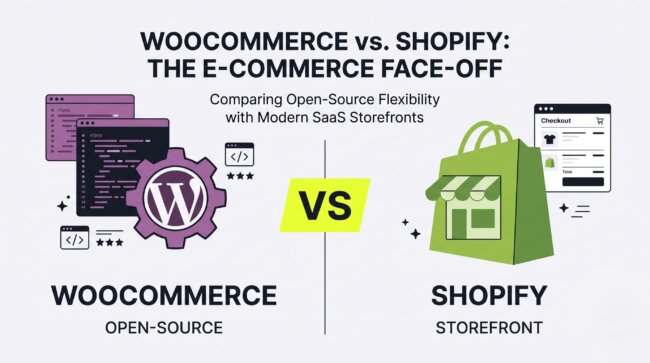
Managed open-source splits the difference. Platforms such as WooCommerce or Magento Open Source run on managed cloud hosting (AWS, Cloudways), so a provider babysits the servers while the merchant keeps full ownership of the code.
The distinction merchants miss: the code is free, the operation is not. You still pay monthly for cloud servers, and you still carry responsibility for updating security plugins, testing compatibility after every release, and hiring developers when an update breaks the checkout. Open-source removes license fees, not workload.
To eliminate this ongoing operational burden, growing brands often partner with specialized teams for comprehensive e-commerce services that handle setup, deployment, and cloud migration.
Best Cloud eCommerce Platform Solutions in 2026
Several vendors dominate the 2026 market, and analyst reports such as the Gartner Magic Quadrant for Digital Commerce group them by business scale. Shopify fits fast-scaling DTC brands, BigCommerce ships B2B features out of the box, while Adobe Commerce and Salesforce Commerce Cloud serve complex enterprise ecosystems with deep customization needs.
| Platform | Best For | Customization Level | Implementation Time | Team Size Required | Price Range |
|---|---|---|---|---|---|
| Shopify | Fast-scaling DTC and omnichannel retail | Medium (apps + Hydrogen for headless) | Days to 2–3 months | 1+ (no developers required at entry level) | $29/mo to $2,300+/mo (Plus) |
| BigCommerce | B2B and hybrid B2B/B2C without heavy app stacks | Medium-High (open APIs) | Weeks to 3 months | 1–5 | $39/mo to custom enterprise pricing |
| Adobe Commerce (Magento) | Enterprise catalogs, multi-brand, multi-region | Very High | 4–12 months | Dedicated IT team | License from $22,000/yr + development |
| Salesforce Commerce Cloud | CRM-driven enterprises inside the Salesforce ecosystem | High | 4–9 months | Dedicated team + partner agency | Percentage of GMV (custom) |
| WooCommerce | WordPress-centric content and blog-driven stores | Very High (open source) | Weeks to 2 months | 1+ (developer recommended) | Free plugin + hosting and development costs |
| commercetools | Composable MACH builds for large multi-market brands | Maximum (API-first) | 6–12+ months | In-house architects + engineers | Custom, tied to transaction volume |
| SAP Commerce Cloud | Global enterprises standardized on SAP ERP | Very High | 6–12+ months | Dedicated SAP-skilled team | Enterprise custom |
Shopify: Fastest Time to Market and Dominant App Ecosystem
Shopify remains the speed benchmark. Pricing starts at $29/month and climbs to $2,300+/month for Shopify Plus, the enterprise tier. A small store goes live in days; large Plus projects typically launch within 2–3 months.
Checkout is where Shopify presses its advantage. Shopify’s own published research credits Shop Pay with a 14–18% lift in checkout conversion compared to guest checkout flows. For teams that want custom front ends, Shopify offers Hydrogen, its headless framework, and Oxygen, the hosting layer built for it — so a brand can go headless without leaving the ecosystem.
BigCommerce: Out-of-the-Box B2B Features and Flexible APIs
BigCommerce starts at $39/month, with individually priced enterprise tiers above that. Its defining strength sits in B2B: customer-specific price lists, bulk quoting, and corporate account hierarchies ship natively, with no third-party app stack required.
Merchants that sell wholesale and retail from the same catalog get the biggest payoff. Open, well-documented APIs also make BigCommerce a common pick for teams that want partial headless flexibility without a full composable project.
Adobe Commerce (Magento): Deep Catalog Customization for Enterprise Teams
Adobe Commerce licensing starts around $22,000 per year, before development costs. In exchange, enterprises get nearly unlimited control over catalog architecture — the reason global, multi-brand, multi-region companies keep choosing it despite the price tag.
Complex attribute structures, region-specific pricing, and unusual product logic all bend to the platform. The requirement is non-negotiable, though: Adobe Commerce demands a strong IT team. Without dedicated developers, projects stall and security patches slip.
Salesforce Commerce Cloud (Agentforce): CRM-Driven AI Customer Journeys
Salesforce Commerce Cloud prices as a percentage of gross merchandise volume (GMV), which aligns vendor revenue with merchant sales. The platform’s real product is the ecosystem: commerce, CRM, marketing automation, and service tooling share one customer data model.
Agentic AI is the current differentiator. Agentforce and Einstein AI personalize product discovery, automate service interactions, and act on the full CRM history of each shopper — something standalone commerce engines reconstruct only through integrations.
WooCommerce: Infinite Flexibility for WordPress-Centric Stacks
WooCommerce is a free plugin for WordPress; the real budget goes to hosting, extensions, and development hours. Content-first businesses get the best fit: publishers, niche blogs, and brands whose SEO traffic already lives on WordPress can bolt a store onto the existing CMS instead of migrating away from it.
Full code ownership cuts both ways. Every capability is customizable, and every update, backup, and security patch is your responsibility — or your agency’s invoice.
commercetools: Composable MACH Architecture for Large-Scale Brands
commercetools prices custom contracts tied to transaction volume. As the reference implementation of MACH architecture, the platform provides a pure API-first commerce engine with no imposed front end at all.
Brands running distinct customer experiences across many markets choose it precisely for that emptiness: each region, channel, or device gets its own purpose-built interface on top of one transactional core. The prerequisite is an internal engineering organization able to design, ship, and maintain those interfaces.
SAP Commerce Cloud: Integrated ERP Ecosystem for Large Enterprises
SAP Commerce Cloud carries enterprise custom pricing and exists for one dominant scenario: corporations already standardized on SAP ERP. Product data, pricing conditions, inventory, and order orchestration flow between commerce and ERP with the tightest coupling available on the market.
For SAP-centric giants, that native alignment removes an entire class of integration projects. For everyone else, lighter platforms reach production faster and cost less to operate.
The Financial Reality: Total Cost of Ownership (TCO) and Pricing Ranges
Platform cost extends far past the monthly subscription. True total cost of ownership (TCO) combines transaction fees, API and integration charges, app subscriptions, developer hours, and security upkeep. Compare platforms on a projected two-year budget — never on the sticker price of the entry-level license.
“Cheap software” is a persistent myth in commerce budgeting. The subscription line on a pricing page is the smallest, most predictable expense in the stack. Everything around it — fees, apps, people — scales with your revenue and your ambitions. Budget accordingly.
Key Cost Components: Subscriptions, Transaction Fees, and Apps
Four cost lines make up the real invoice, and only the first one appears on the pricing page. Track all four from day one, because the other three grow with revenue.
- Subscription fees. The fixed monthly or annual platform charge. Predictable, published, and the only number most buyers compare.
- Transaction fees. Payment processing costs plus, on some platforms, an extra platform fee for using a third-party gateway instead of the native one. On high volume, these fees dwarf the subscription.
- App and plugin subscriptions. Marketing automation, reviews, loyalty, shipping calculators — each a separate monthly bill of $50–$500. Stores routinely run 10–20 apps.
- Developer support. Hours for customization, integration upkeep, and bug fixes. Either an in-house salary or an agency retainer; rarely zero for stores past the startup stage.
Pricing Ranges by Business Size: Startup to Enterprise Budgets
Realistic all-in monthly budgets — platform, apps, fees, and support combined — cluster by revenue tier:
- Startup / SMB ($0–$500K annual revenue): $300–$1,500 per month.
- Mid-market ($500K–$10M annual revenue): $3,000–$15,000 per month.
- Enterprise ($10M+ annual revenue): $40,000–$100,000+ per month.
Treat these ranges as planning anchors, not quotes. A B2B catalog with ERP integration lands at the high end of its tier; a simple DTC store with native payments lands at the low end.
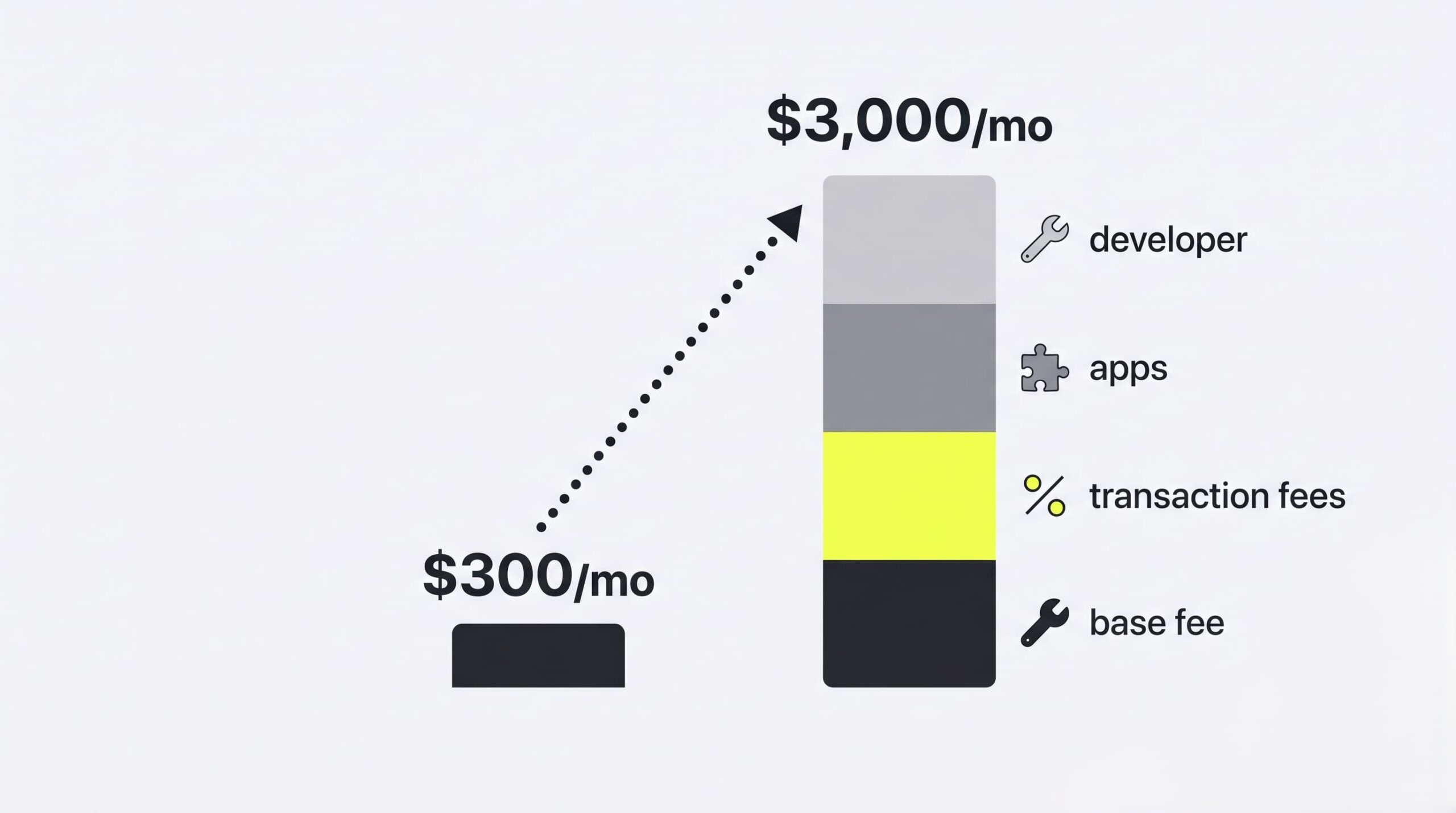
TCO Escalation: Why a $300/Month Store Can Cost $3,000/Month
Escalation follows a predictable mechanism. A store on a $300/month base plan grows to $100,000 in monthly revenue — and every hidden cost line wakes up at once.
Run the math. Third-party gateway fees of 1–2% on $100K add $1,000–$2,000 per month. Fifteen installed plugins at $50–$100 each add $750–$1,500. API rate-limit overages for syncing inventory with a warehouse system add more. A freelance developer fixing theme conflicts and broken app updates bills $500–$1,000 in a typical month. Suddenly the “affordable” $300 platform costs $3,000+ — a tenfold jump with no plan upgrade at all. Model this escalation before you sign, at the revenue you expect in year two, not the revenue you have today.
Key Features to Evaluate in a Cloud-Based Platform
Evaluate any cloud-based platform against three tiers of requirements, in strict order of priority: foundational stability (checkout, payments, CDN performance), operational efficiency (automation, global readiness, analytics), and future-proofing (API rate limits and AI capability that will carry the store through its next growth phase).
Foundational Stability: Checkout, Payments, and CDNs
Checkout is the revenue pipe; everything else is decoration. Verify that the platform’s payment gateways are reliable in your target markets, support the local payment methods your customers expect, and hold a published uptime SLA.
Page speed belongs in the same tier. A CDN (Content Delivery Network) serves images and pages from servers geographically close to each shopper, cutting load times for customers far from your primary region. Confirm the CDN is included, not sold as an add-on.
Operational Efficiency: Automation, Global Readiness, and Analytics
Automation converts headcount into configuration. Built-in tools — Shopify Flow is the reference example — handle routine work such as tagging high-value orders, flagging fraud risks, or pausing out-of-stock products, with no developer involvement.
Global readiness covers multi-currency selling, automatic calculation of local taxes and duties, and compliance tooling for GDPR and CCPA data requests. Order analytics rounds out the tier: cohort reports, product performance, and channel attribution should live in the platform, not in a spreadsheet someone rebuilds every Monday.
Future-Proofing: API Rate Limits and AI Enablement
API rate limits decide whether the platform survives your growth. A store syncing a large warehouse or an ERP fires thousands of API calls per hour; if the platform throttles those requests, inventory drifts out of sync and orders fail silently. Read the rate-limit documentation before signing — not after the first blocked sync.
AI capability is the second horizon. Platforms now ship AI for product description generation, semantic search, and customer behavior analysis. Evaluate what runs natively today and what the vendor’s public roadmap commits to, so next year’s features do not require this year’s replatforming.
Security, Compliance, and Data Protection
Cloud security follows a shared-responsibility model. The platform protects the servers and maintains PCI DSS Level 1 certification for payment processing. The merchant protects staff passwords and access rights, publishes an accurate privacy policy, and follows data-handling laws such as GDPR and CCPA in every region where the store sells.
PCI DSS Compliance: Tokenization vs. Infrastructure Liability
PCI DSS Level 1 is the strictest tier of the Payment Card Industry Data Security Standard, mandatory for anyone processing large volumes of card transactions. SaaS platforms carry this certification for you: card data is tokenized on the vendor’s side, so raw card numbers never touch your systems.
That tokenization saves real money. A merchant on a certified SaaS platform inherits compliance at no extra cost. A merchant running a custom cloud build pays for annual audits, penetration testing, and hardened server configuration — an ongoing bill that runs into thousands of dollars every year.
GDPR, CCPA, and Regional Data Residency Requirements
GDPR governs the data of European customers and, in many configurations, requires their personal data to stay on servers physically located in approved regions. CCPA gives California residents rights to see, delete, and restrict the sale of their personal data.
Selling into either market makes these laws your problem regardless of where your company is registered. Check whether the platform offers regional data residency options and built-in workflows for handling customer data requests — deletion, export, and consent records — before regulators or customers ask.
SSL/TLS and Data Encryption Standards
Encryption must cover both states of your data. SSL/TLS certificates encrypt data in transit — everything moving between the shopper’s browser and the platform, from passwords to card details. Encryption at rest protects data stored on the vendor’s servers, so a stolen disk yields ciphertext instead of customer records.
Every serious cloud platform includes SSL/TLS by default and documents its at-rest encryption standard. Absence of either from the security documentation is a disqualifying signal, not a negotiation point.
How to Choose Your Cloud eCommerce Platform: Step-by-Step Workflow
Choosing a cloud ecommerce platform starts with an audit of your current IT infrastructure, followed by a two-year TCO budget, a verification of ready-made integrations for your existing systems, and hands-on testing during a free trial. Work through the sequence below before signing any contract.
- Define your business model and hard requirements. B2B, DTC, or hybrid; single market or global; catalog size; and the customer experience you refuse to compromise on. Write these down — they become your scoring criteria.
- Audit your current IT infrastructure. List every system the new platform must talk to: ERP, CRM, warehouse management, accounting, email. Mark which ones are staying for the next five years.
- Build a two-year TCO budget. Subscription, transaction fees, apps, development, and migration costs — at the revenue you project for year two, using the escalation math from the TCO section above.
- Shortlist three candidate platforms. Match your requirements and budget tier against the comparison table in this guide. Three candidates keep the evaluation honest without drowning the team.
- Verify integrations and API documentation. Confirm a ready-made connector or a documented API path exists for every system from step 2. A missing integration discovered after signing is the single most expensive surprise in replatforming.
- Run free trials with a real test. Load sample products, configure shipping and taxes, and complete live test checkouts on desktop and mobile. Involve the people who will run the store daily, not only the selection committee.
- Negotiate the contract and the SLA. Uptime guarantees, support response times, data export rights, and exit terms — all in writing before payment.
The 30-Day Launch Action Plan
Thirty days is enough to go from a blank requirements document to live orders — if each week has one fixed deliverable and nobody reopens closed decisions. Use the schedule below as the project plan.
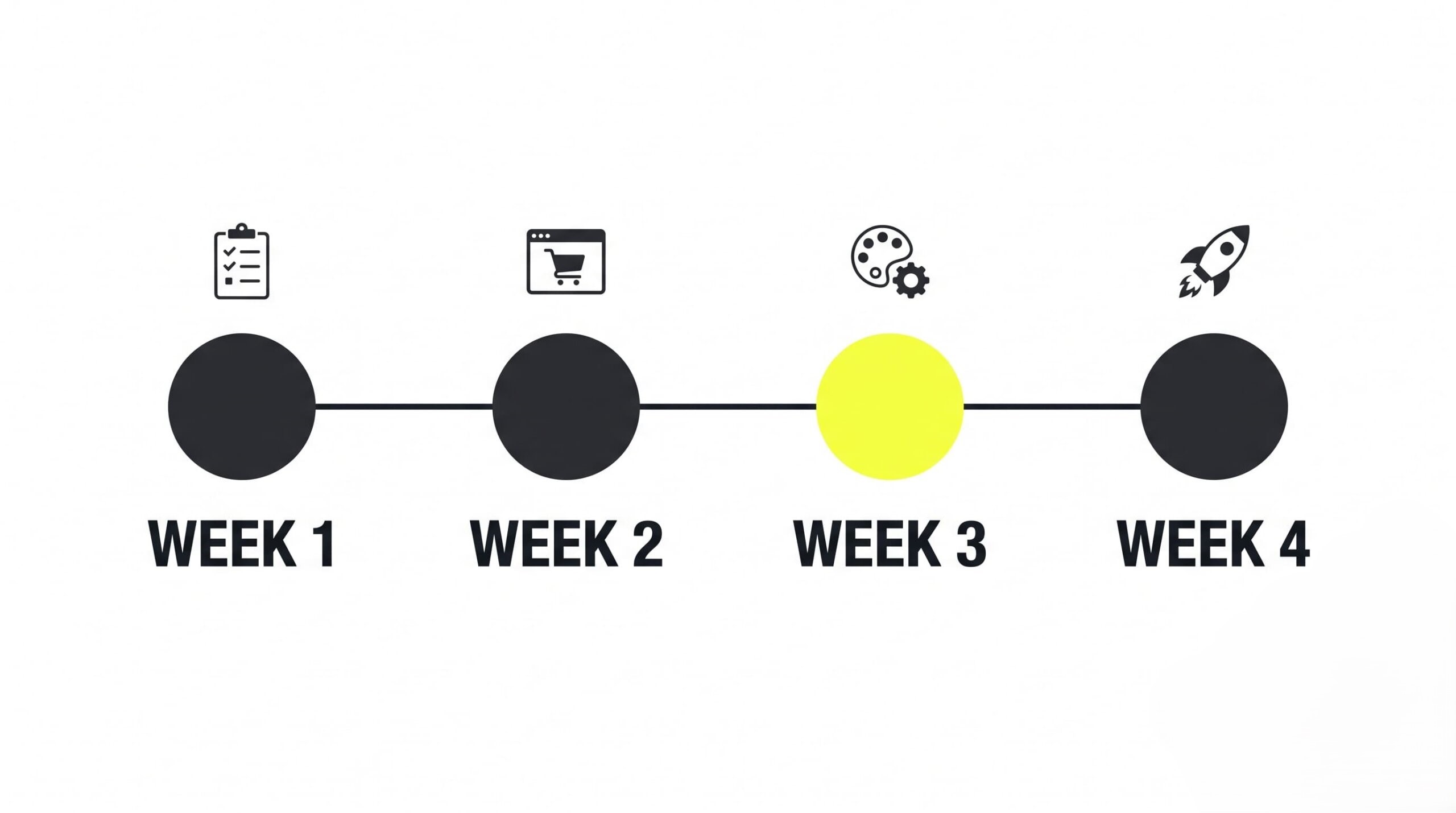
- Week 1: Requirements and shortlist. Finalize the requirements document, complete the IT audit, and lock in three candidate platforms.
- Week 2: Hands-on trials. Register free trials on all three, add five test products to each, and run full test checkouts including shipping and tax calculation.
- Week 3: Decision and setup. Pick the winner, configure the storefront design, and connect the payment gateway in a staging environment.
- Week 4: Import and launch. Import the full catalog, run final QA on checkout and email notifications, launch, and monitor the first live orders daily.
7 Common Buyer Mistakes
The most expensive buyer mistakes include picking a platform because a review called it “easiest for beginners,” chasing headless architecture without a developer team, and ignoring hidden transaction fees. Each error looks small at signup. Each one compounds into five-figure losses within the first year of operation.
- Choosing the platform labeled “best for beginners.” Every business has different requirements; a ranking written for a generic reader knows nothing about your catalog, your integrations, or your margins.
- Chasing the headless trend without a reason — or a team. Headless without in-house developers means a permanent agency dependency and a slower store than the monolith you left.
- Believing open-source is free. WooCommerce costs $0 to download. Hosting, premium plugins, security maintenance, and developer hours are the actual price.
- Ignoring hidden fees. Third-party gateway surcharges, API overage billing, and mandatory add-ons hide in pricing footnotes and surface on invoice three.
- Checking integrations after signing the contract. The ERP connection must be verified — ideally demonstrated — before day one, not scoped as a “phase two project.”
- Skipping the scaling and peak-traffic conversation. Stores fall over on Black Friday because nobody asked how the platform handles 20x normal load. Ask. Get the answer in the SLA.
- Underestimating data migration. Order history, customer accounts, and 301 redirects for every old URL take real time and real money; unbudgeted migrations blow both.
Pre-purchase warning checklist — walk away, or negotiate hard, if you see:
- No public API documentation. If the docs are gated behind sales calls, integration costs are unknowable.
- Punitive exit terms. Fees for exporting your own data, or contract clauses that complicate leaving the platform.
- No uptime SLA. A vendor unwilling to guarantee availability in writing is telling you something.
- Opaque transaction fees. Pricing pages that hide gateway surcharges until the demo call.
- No published security certifications. PCI DSS status and encryption standards should be documented in public, not promised verbally.
Cloud eCommerce Platform FAQ
Buyers evaluating a cloud ecommerce platform keep returning to the same six questions — about SaaS terminology, headless architecture, real costs, compliance, and switching risk. The answers below are short and self-contained, so a decision-maker can forward any single one to a colleague without extra context.
What is the difference between a cloud platform and a SaaS platform?
All SaaS platforms are cloud platforms, but not all cloud platforms are SaaS. SaaS is a subscription licensing model where the vendor manages all of the software. A cloud platform can also be your own custom code hosted on rented cloud infrastructure — AWS, for example — where you manage the application yourself.
Should we choose SaaS for speed or custom for control?
Choose SaaS if you need to launch in under 60–90 days and lack a large development team. Choose custom or headless builds if your business model demands a unique customer experience or deep integration with a complex internal ERP that standard connectors cannot handle.
What is headless commerce, and do we need it?
Headless commerce is an architecture where the visual layer of the site (front end) is fully separated from the commerce logic (back end) and communicates with it through APIs. You need it only if you sell across many different devices — websites, apps, smart displays — and each storefront requires its own unique design.
How do we evaluate total cost of ownership (TCO)?
Build a two-year budget that includes monthly platform fees, payment transaction fees, app and plugin subscriptions, developer costs for setup and support, hosting (if the platform is not SaaS), and the cost of a future migration. Compare platforms on that final total, never on the base license price.
Is PCI compliance expensive for cloud platforms?
On a SaaS platform such as Shopify, PCI DSS Level 1 compliance is built in and free, because all card data is tokenized on the vendor’s side. On a fully custom cloud build, you pay for annual audits and configure server security yourself — a recurring cost of thousands of dollars per year.
Can we switch cloud platforms later without losing data?
Yes, but expect real effort. Customer, product, and order databases export through CSV or APIs. The hard parts are rebuilding custom design and integrations and preserving SEO rankings, which requires 301 redirects for every old URL. A typical migration takes 2 to 8 weeks.